How to Top Up Your Steam Wallet With a Code? 2026
 Łukasz Kafel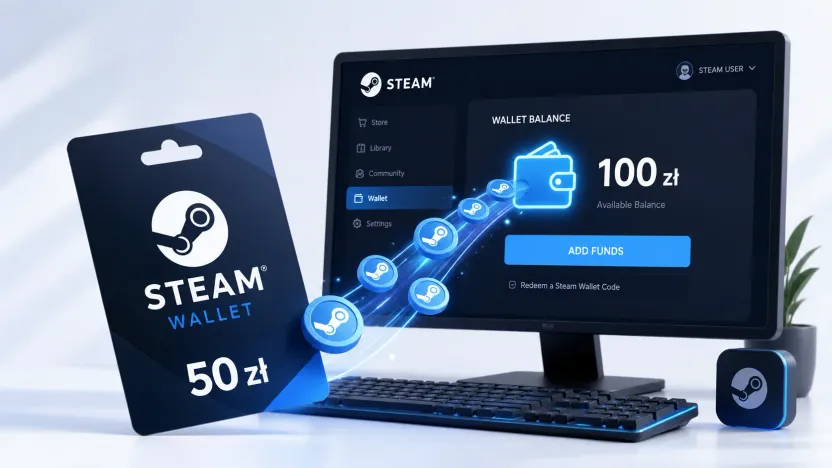
You can top up your Steam Wallet with a 15-character Steam Wallet code or a gift card. Just log in to your account, choose “Redeem a Steam Gift Card or Wallet Code” and enter the code — the funds land on your balance instantly and you can spend them on games, DLC add-ons and in-game items.
How to top up your Steam Wallet step by step
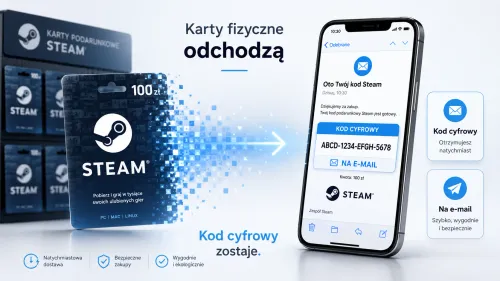
- Buy a Steam top-up code — on payticon.com it arrives by email right after purchase, with no commission.
- Log in to your Steam account.
- Open your Steam Wallet and choose “Redeem a Steam Gift Card or Wallet Code” (you can also use the page store.steampowered.com/account/redeemwalletcode).
- Enter the code and confirm — the funds land on your balance instantly.
| Redemption method | Path |
|---|---|
| Steam client / app | Wallet → “Redeem a Steam Gift Card or Wallet Code” |
| Browser | store.steampowered.com/account/redeemwalletcode |
What is the format of a Steam Wallet code?
The code has 15 characters in three blocks of five (XXXXX-XXXXX-XXXXX). Type it exactly — it’s easy to mix up “0” with “O” or “1” with “I”/“L”.
How much does a Steam top-up cost? What denominations are available?
Steam Wallet codes come in several values — from amounts for a single add-on or in-game item up to denominations that cover a full new release. You’ll find current denominations and prices on the Steam product page. If you’re a few zloty short for a purchase, you can cover the missing amount with another payment method or add another code — funds from multiple codes stack on your wallet (in the same currency).
Does a Steam code work in every region?
Not always. A code bought in Poland is tied to the Polish region and currency (PLN) — you’ll redeem it on a Steam account set to Poland. On an account in a different currency (e.g. EUR) it may be rejected, even if it’s also a European country. Buy a code that matches the region and currency of your Steam account.
What to do if your Steam code doesn’t work
Before you report a problem, check the most common causes:
- Typo — retype the code, watching for similar characters (0/O, 1/I/L). It’s best to copy it straight from the email.
- Account region/currency — a PLN code redeems on an account set to Poland (PLN); on an account in a different currency (e.g. EUR) it will be rejected.
- Code already used — each wallet code works only once.
- Wallet limit — Steam has a maximum wallet balance; if you’re near the cap, redeem the code after spending some of your funds.
- If it still doesn’t work, contact the seller or Steam Support — keep your proof of purchase.
What can you use your Steam Wallet funds for?
For games, DLC add-ons, software and in-game items available in the Steam ecosystem. With your wallet funds you can also buy a game as a gift for a friend. Your wallet balance doesn’t expire — it simply waits for your next purchase.
A Steam top-up as a gift for a gamer
A Steam code makes a convenient gift — it arrives by email right away, so it also works at the last minute. The recipient picks the game or add-on themselves, with no risk of a title that misses the mark. You’ll find more ideas in our guide to paysafecard and top-ups as a gift for gamers.
Can you top up Steam with paysafecard?
Yes — one of the methods is paysafecard. The same region rule applies: the paysafecard code must come from the same region as your Steam account.
How do I top up my Steam Wallet?
Buy a Steam top-up code, log in to your account, choose “Redeem a Steam Gift Card or Wallet Code” and enter the 15-character code. The funds land on your balance right away.
How many characters does a Steam Wallet code have?
The code has 15 characters in the format XXXXX-XXXXX-XXXXX. Type it exactly, watching for similar characters (0/O, 1/I/L).
How much does a Steam top-up cost?
Steam Wallet codes are available in several denominations — from small amounts to values that cover a full game. You’ll find current denominations and prices on the Steam product page.
My Steam code doesn’t work — what should I do?
Check for typos (0/O, 1/I/L), that the code matches your account region, whether the code has already been used, and your wallet balance limit. If that doesn’t help, contact Steam Support and keep your proof of purchase.
Will a Steam code from Poland work on an account from another region?
A code from Poland is tied to the Polish region and currency (PLN). It will work on a Steam account set to Poland; on an account in a different currency (e.g. EUR) it may be rejected — even if it’s a European country.
Do Steam Wallet funds expire?
No. Your Steam Wallet balance has no expiry date and waits for your next purchase.
Can I top up Steam with paysafecard?
Yes, it’s one of the available methods. Remember that the paysafecard code must come from the same region as your Steam account.
Where can I buy a Steam code with email delivery?
At payticon.com — the code arrives by email right after purchase, with no commission and “ticony” cashback.
See also: how to top up PlayStation Store (PSN) and how to top up Xbox and Game Pass. Ready to buy? Buy a Steam code — delivered by email in moments.
Table of contents
- How to top up your Steam Wallet step by step
- What is the format of a Steam Wallet code?
- How much does a Steam top-up cost? What denominations are available?
- Does a Steam code work in every region?
- What to do if your Steam code doesn’t work
- What can you use your Steam Wallet funds for?
- A Steam top-up as a gift for a gamer
- Can you top up Steam with paysafecard?